What you can do on a PC
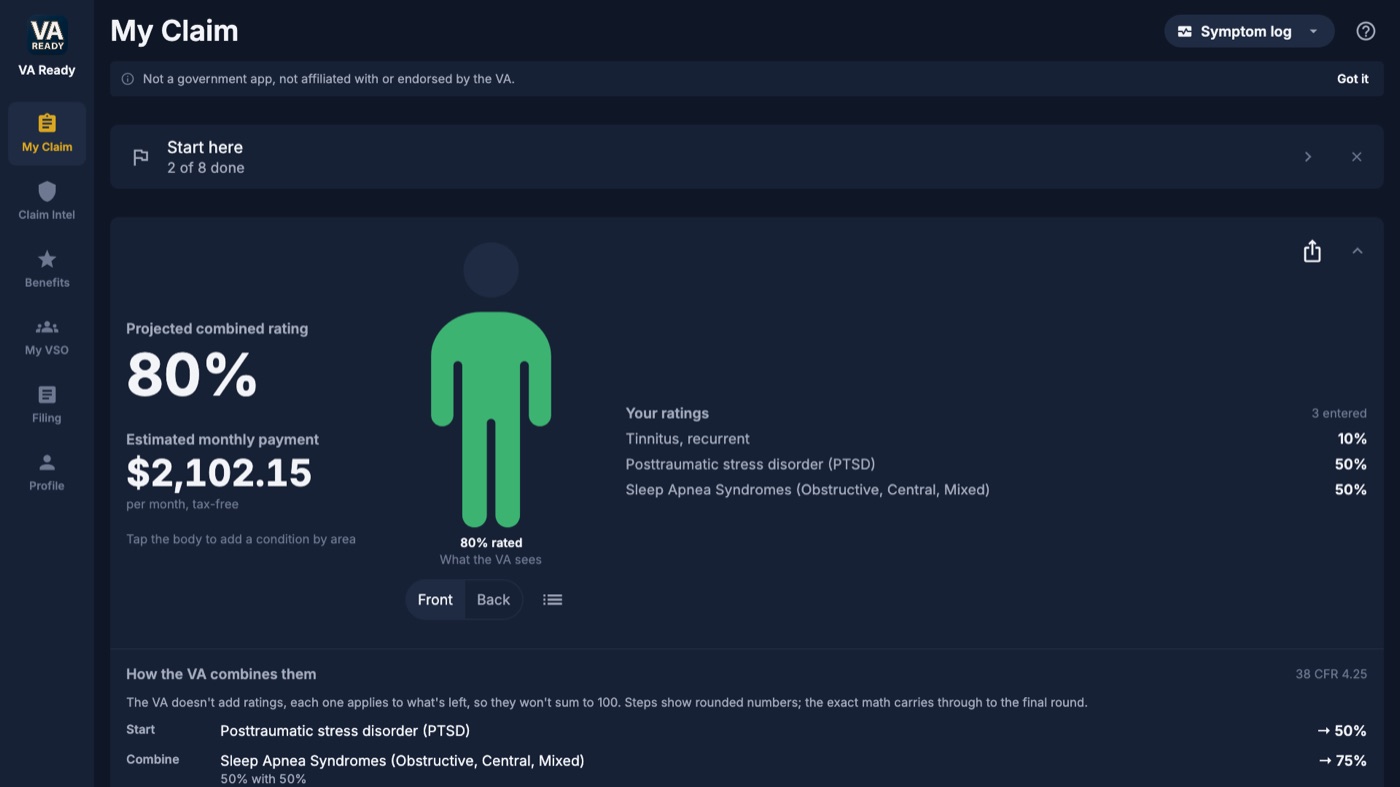
Know your rating
See your combined rating with real VA math, including the bilateral factor, and your estimated monthly pay. Each of 765 conditions carries its full 38 CFR rating criteria, so you know what the examiner measures. TDIU and SMC calculators show what each would change.
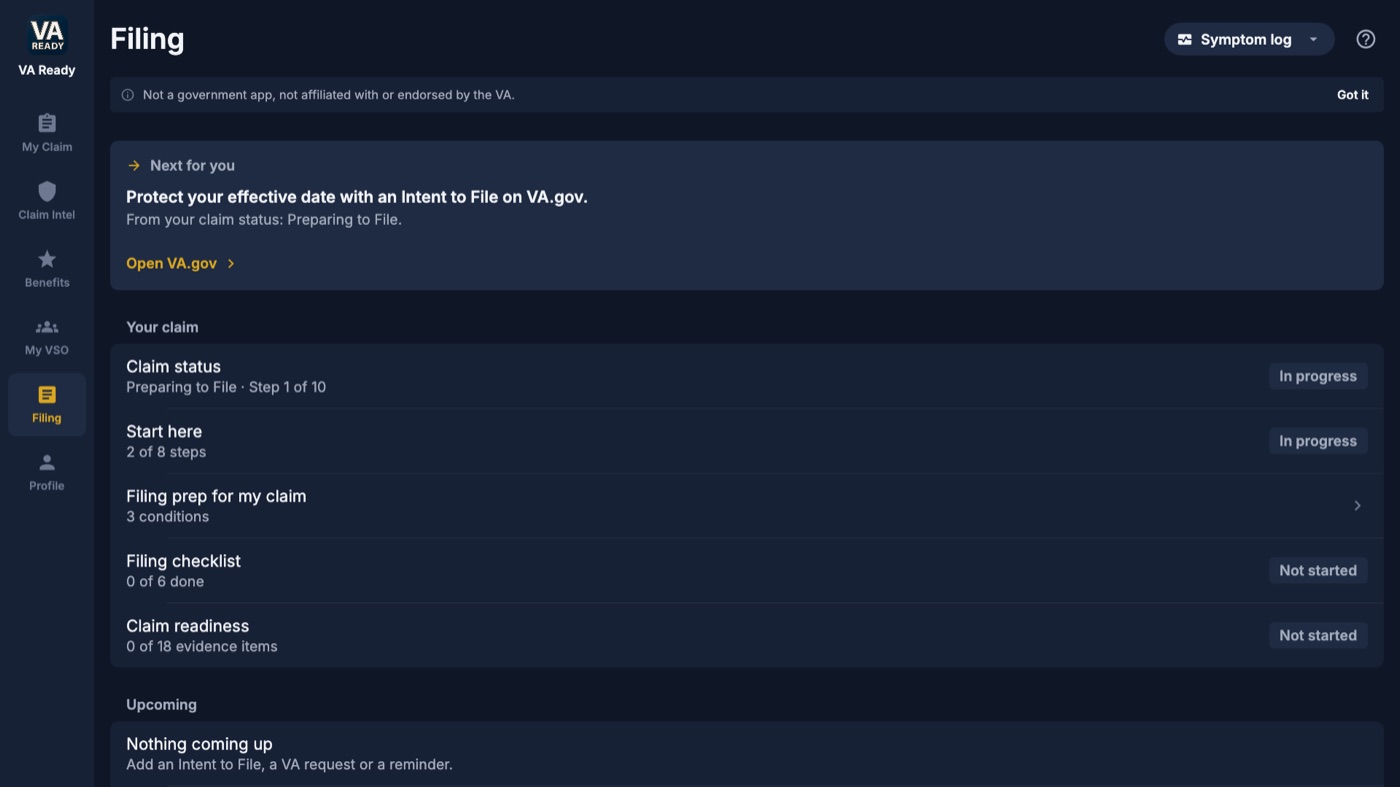
Keep your claim in one place
Import every document into your Claim File. Each gets a label that matches the VA's own document types, a date and the condition it supports, and your evidence checklist ticks itself. Drag and drop files, or save them to the VA Ready Documents folder and they import on their own.
Ready for VA
One click builds a dated folder for each condition: your records, signed buddy statements, symptom logs and an optional claim journal. Every file is named with the document type to pick on VA.gov, with an upload checklist on top.
Get ready for your C&P exam
A C&P/DBQ Guideline for each condition, an exam questionnaire you answer in your own words before the exam, and peer-reviewed studies mapped to your diagnostic codes, all exportable to PDF.
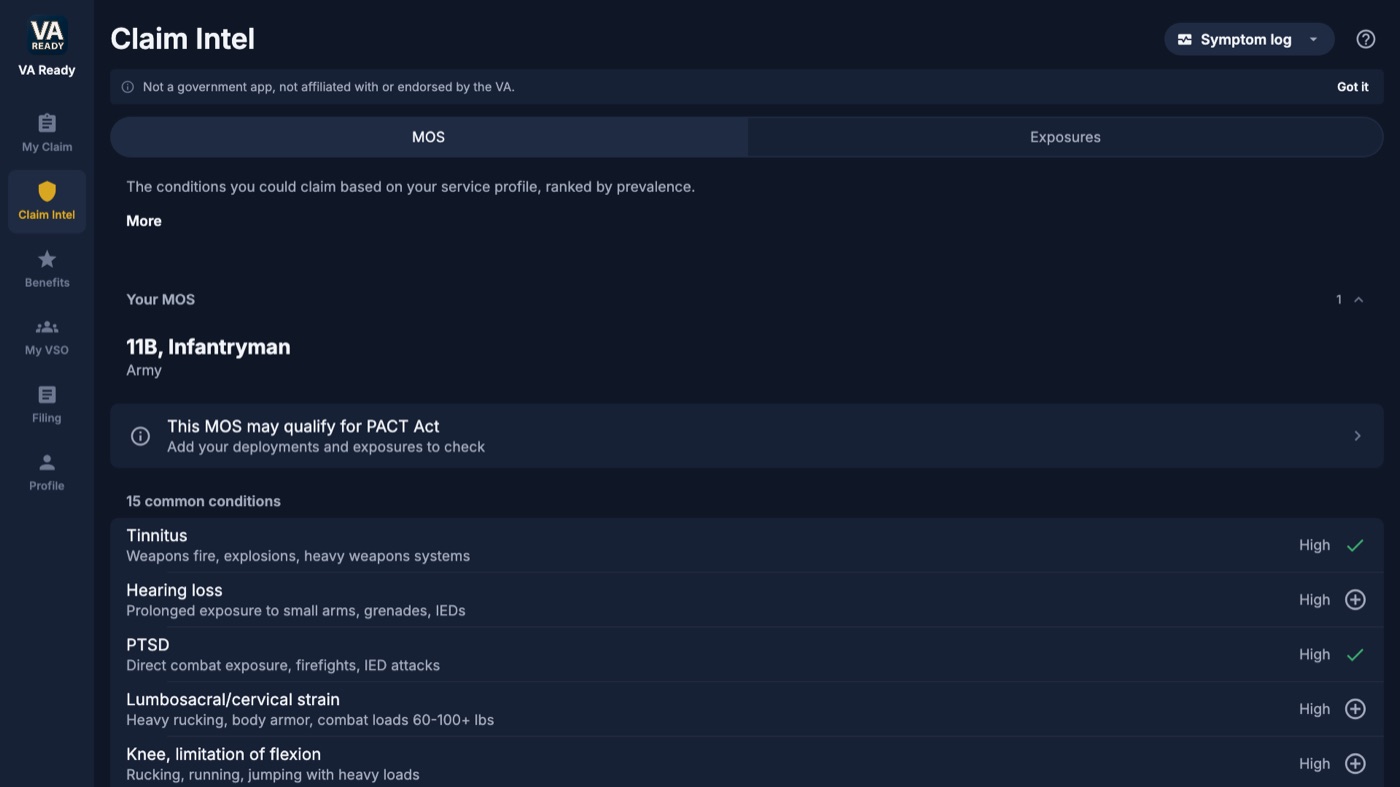
Find what you may be missing
Claim Intel shows the conditions commonly claimed for your MOS, AFSC or rating, plus PACT Act presumptives from the bases you served at and the aircraft you worked on. 1,102 military job codes and 827 bases with exposure mapping are built in.
Never miss a VA date
One Upcoming list for your Intent to File expiration, VA evidence requests, decision review windows, C&P exams and VSO visits. Print the schedule for the fridge.
Find free help
Search 8,957 VSO offices, read ratings from other veterans, track visits, and hand your rep a VSO Packet. VA Ready saves the visit and a reminder on your PC. It does not book or confirm an appointment.
Benefits and back pay
Federal and state benefits at your rating (644 state entries), the current pay rate chart, and a back pay estimate from your effective date. 60 filing guides cover appeals, proposed reductions, protected ratings and more.
Free and Pro
| Free | Pro |
|---|---|
| Combined rating and estimated pay | Full 38 CFR rating criteria for every condition |
| Claim File and Ready for VA folder | All 50 states' benefits |
| Texas state benefits | Claim Intel |
| Federal benefits at every rating | Sharing and exporting documents and packets |
Pro is billed through your Microsoft account: $4.99 a month, $39.99 a year, or $59.99 once.
Your data stays on your PC
VA Ready has no account. Your claim, documents and notes live on your PC, and you can back them up to a folder you choose, documents included. Light and dark mode follow your Windows setting.
Questions
Is VA Ready available for Windows?
Yes. VA Ready is on the Microsoft Store for Windows 10 (version 1809 or later) and Windows 11, 64-bit. It is the same product as VA Ready on iPhone, iPad and Mac and Vet Ready on Android.
Does VA Ready for Windows cost anything?
The download is free, with no account. Pro adds full rating criteria, all 50 states, Claim Intel and sharing or exporting documents. Pro is billed through your Microsoft account: $4.99 a month, $39.99 a year, or $59.99 once.
Where is my claim data stored?
On your PC. VA Ready has no account and does not upload your claim, documents or notes. You can back up to a folder you choose, documents included.
Does it need an internet connection?
Yes, for the conditions, benefits and VSO data it loads. Your own claim and documents stay on your PC.
Is VA Ready affiliated with the VA?
No. VA Ready is not affiliated with, endorsed by, or connected to the U.S. Department of Veterans Affairs or any government agency. Estimates are not VA decisions.